Sketch diagrams
Mnemo's text-to-diagram language for flowcharts and concept maps inside notes.
Sketch turns plain text into a diagram. You describe nodes and the connections between them, and Mnemo computes the layout and renders the result. You never position anything by hand.
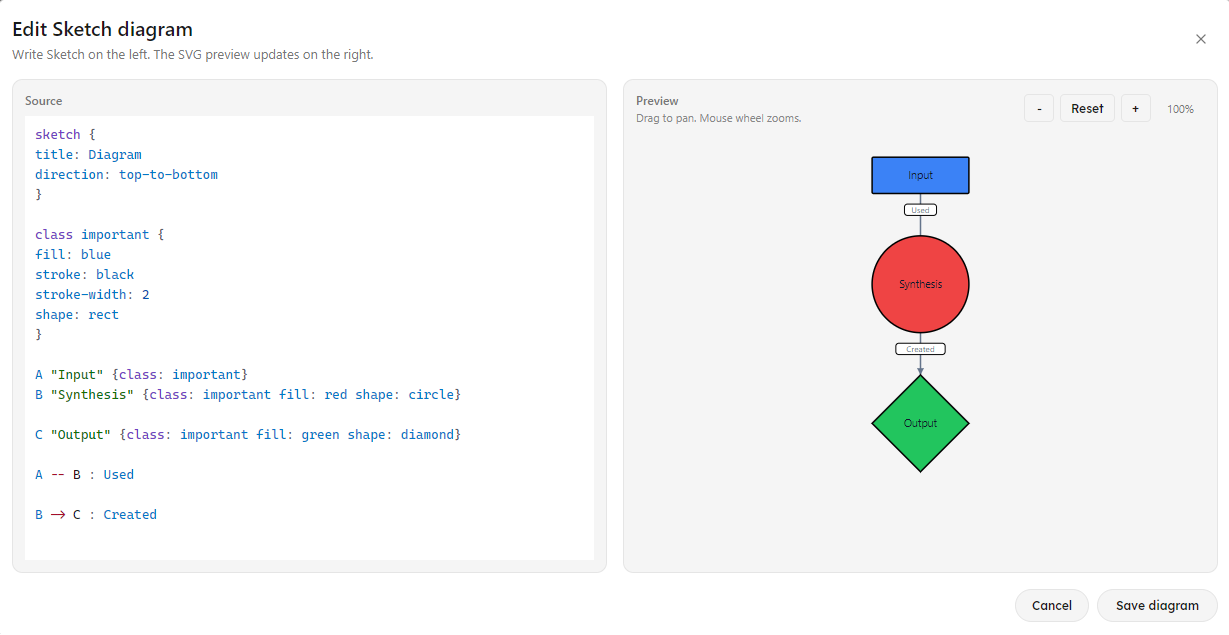
Insert a sketch block from the / menu. The block shows a live preview and opens a dedicated editor when you click it. Sketches render in PDF exports and survive Markdown round-trips as ```sketch code fences.
Basics
A connection between two names is a complete diagram:
Student -> Book
Student -> Teacher
Teacher -> Whiteboard
Add a label to a connection with a colon:
Student -> Book : readsThree connection types exist:
| Syntax | Meaning |
|---|---|
A -> B | Directed |
A <-> B | Bidirectional |
A -- B | Undirected |
Lines starting with # are comments.
Nodes with IDs and labels
A bare word is both the node’s ID and its label. For multi-word labels, declare an ID in brackets and a label in quotes:
[textbook] "Biology Textbook"

Student -> [textbook] : reads
Renaming the label never breaks connections, because connections reference the ID.
Styling
Attach a property block to a node:
Student {
  fill: blue-100
  stroke: blue-700
  stroke-width: 2
  shape: rounded-rect
  tooltip: "A classroom learner"
}| Property | Values |
|---|---|
fill | Node background color |
stroke | Border color |
stroke-width | Border thickness, a number |
shape | rounded-rect (default), rect, circle, diamond |
tooltip | Text shown on hover |
Colors accept named values (blue, red, slate), shade scales in Tailwind style (blue-100 through blue-900), hex(...), rgb(...), rgba(...), and theme(...) tokens that follow the app theme.
Edges accept stroke, stroke-width, and style with solid, dashed, or dotted:
A -> B : depends { style: dashed }Classes
Define a style once and reuse it. A node can apply one class or several:
class person {
  shape: rounded-rect
  fill: blue-100
}

Student { class: person }
Teacher { class: [person, highlighted] }
Properties set directly on a node override its classes.
Groups
Groups draw a labeled container around member nodes. Members are referenced by bracket ID:
group classroom "Classroom" {
  [student]
  [teacher]
}

[student] "Student"
[teacher] "Teacher"
[student] -> [teacher] : asks
Diagram settings
An optional sketch block at the top configures the whole diagram:
sketch {
  title: "Educational Ecosystem"
  direction: left-to-right
}| Property | Values |
|---|---|
title | Shown above the diagram |
direction | left-to-right (default), top-to-bottom, right-to-left, bottom-to-top |
layout | dag, currently the only layout |
Errors
Sketch does not fail on mistakes. Invalid lines produce a diagnostic and the rest of the diagram still renders, so you can fix problems one at a time.