Import and export
Supported file formats for notes, flashcards, and mind maps, including Anki packages.
Mnemo keeps all data local, so import and export are how content moves between machines and between apps.
Format overview
| Content | Format | Import | Export |
|---|---|---|---|
| Notes | Markdown (.md) | Yes | Yes |
| Notes | No | Yes | |
| Notes | .mnemo package | Yes | Yes |
| Flashcards | Anki (.apkg) | Yes | Yes |
| Flashcards | CSV | Yes | Yes |
| Flashcards | .mnemo package | Yes | Yes |
| Mind maps | PNG image | No | Yes |
| Mind maps | .mnemo package | Yes | Yes |
The .mnemo package
A .mnemo file is Mnemo’s own portable format: a single archive that can hold notes with their images, flashcard decks, mind maps, and settings. It is the only format that preserves everything exactly, so use it for backups and for moving to another computer.
When you import a package that contains items you already have, Mnemo can create duplicates instead of overwriting, so an import never destroys existing content.
Notes
- Markdown export writes standard markdown. Headings, lists, checklists, quotes, code fences, dividers, images, and equations (
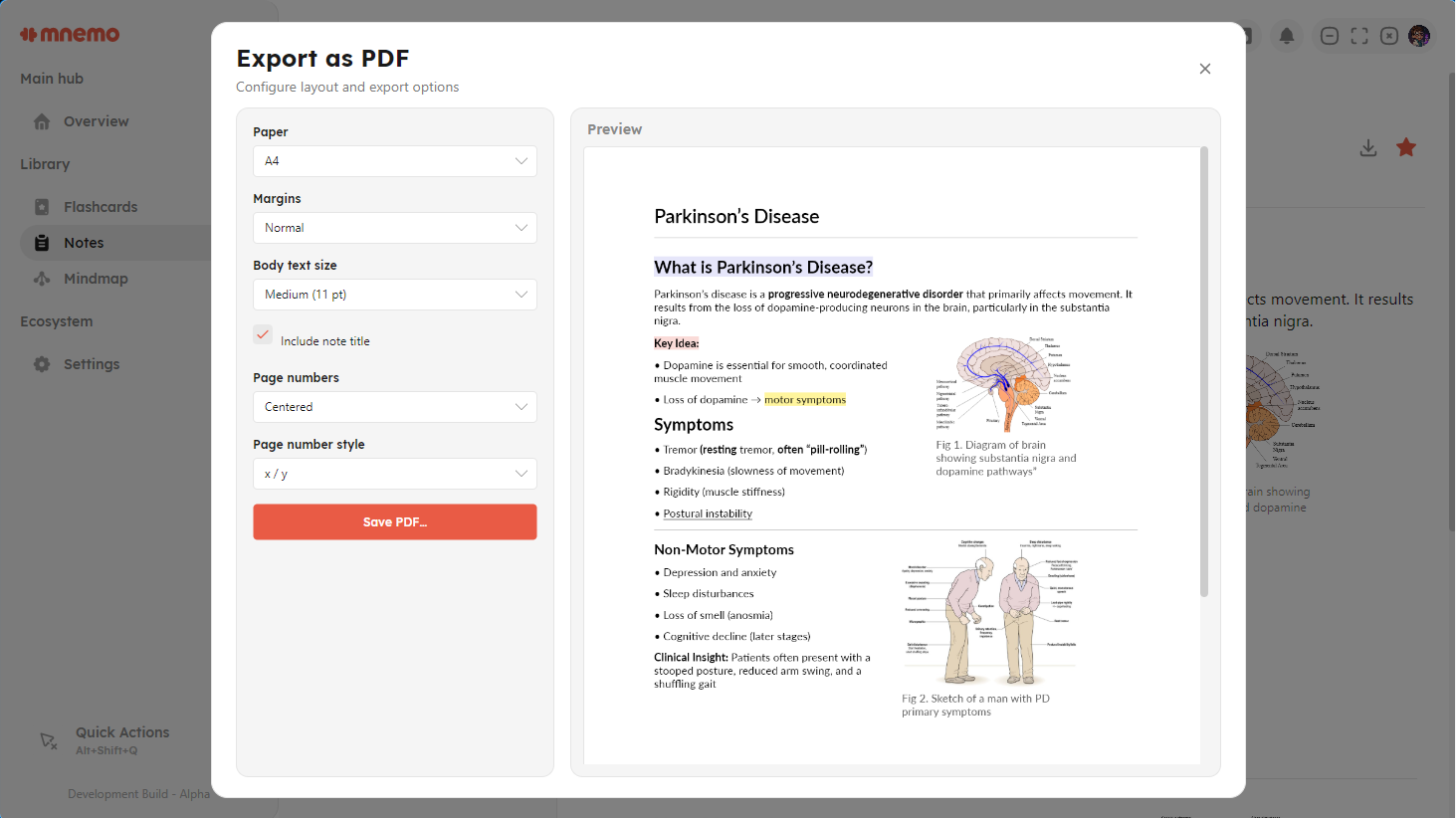
$...$and$$...$$) all survive the round trip. Sketch diagrams are kept as```sketchcode fences. - PDF export renders the note as it appears in the editor, including math and sketch diagrams. Export a note from its sidebar context menu or the editor.
Flashcards from Anki
Importing an .apkg brings in cards, media images, cloze deletions, and due dates. Two things to know:
- Import works best with simple front-and-back note types. Complex Anki note types with many fields may lose structure.
- Imported decks are set to the FSRS scheduler. Anki’s internal scheduling state is not carried over; Mnemo rebuilds it from the first review onward, starting from the imported due dates.
CSV import expects two columns, front and back, and creates classic cards.