Mind maps
The node-and-edge canvas, its layouts, editing tools, and export options.
A mind map is a canvas of text nodes connected by edges. You build the structure; Mnemo can lay it out for you.
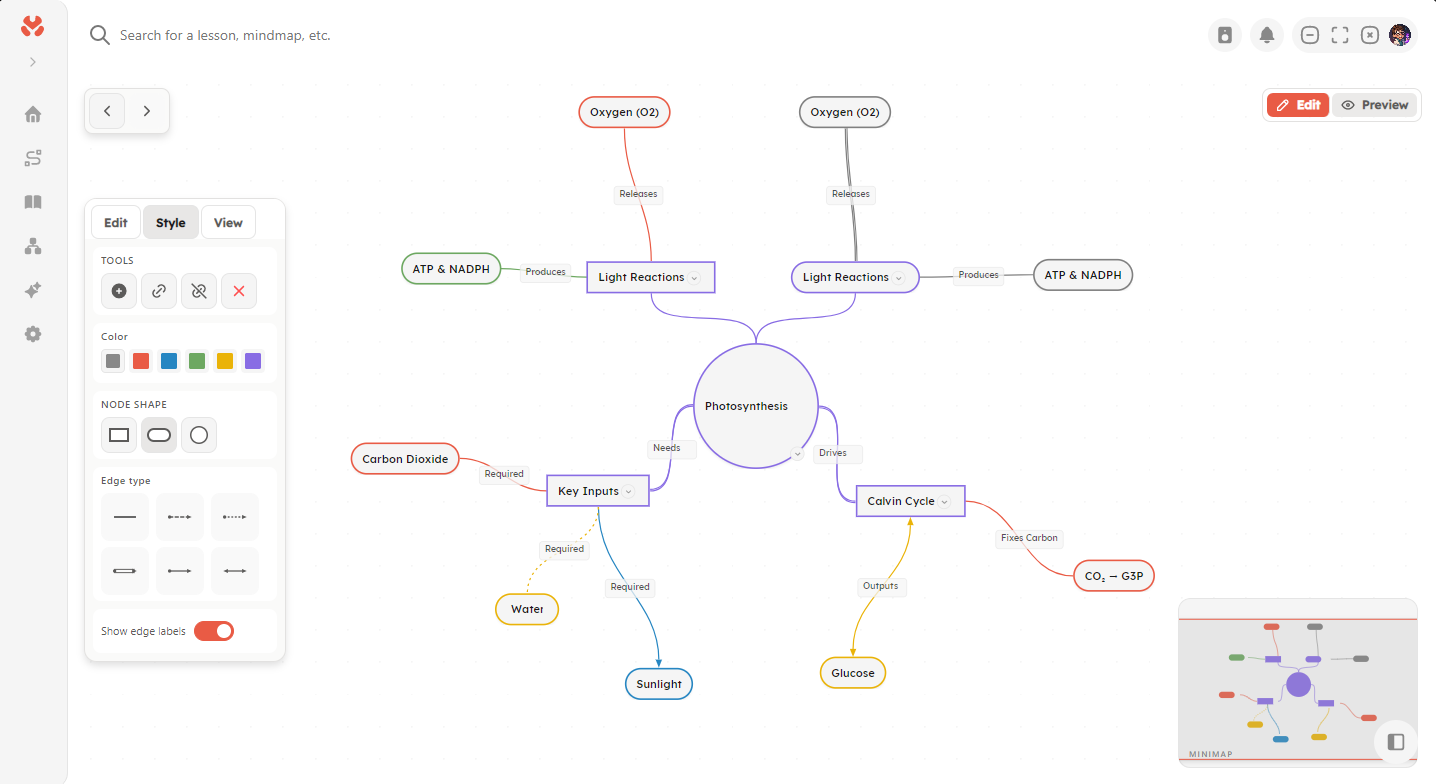
Building a map
The editor has an edit mode and a preview mode. In edit mode you can:
- Add nodes, child nodes (
Tabon a selected node), and siblings. - Connect any two nodes, or detach them.
- Label edges (
F2on a selected edge) and pick an edge style: solid, dashed, dotted, double, arrow, or bidirectional. - Color nodes and change their shape.
- Collapse and expand subtrees.
- Copy and paste selections (
Ctrl+C,Ctrl+V), duplicate withCtrl+D. - Undo and redo with
Ctrl+ZandCtrl+Y.
Edges come in two kinds. Hierarchy edges form the tree structure that layouts use. Link edges are free connections between any two nodes and do not affect layout.
Layouts
Three automatic layouts are available: vertical tree, horizontal tree, and radial. Applying a layout repositions all nodes; you can still drag individual nodes afterward. Node positions are saved with the map.
Navigating the canvas
Pan and zoom with the mouse. Press Ctrl+0 to recenter the view. A minimap in the corner shows your position in large maps; its visibility, along with the grid style, is configurable under Settings → Mindmap.
Export
Mind maps export as PNG images, with an optional transparent background, and as .mnemo packages for moving them between machines. PNG export is one-way; only .mnemo packages can be imported back. See Import and export.